显示标签为“op-com diagnostic interface”的博文。显示所有博文

2016年10月28日星期五

How does OPCOM VAUX-COM 120309a active filter for Opel Insignia 2011?

This blog will guide you how to use OPCOM to active filter for Opel Insignia 2011.
First, you need OPCOM interface:
OK, now you can start:
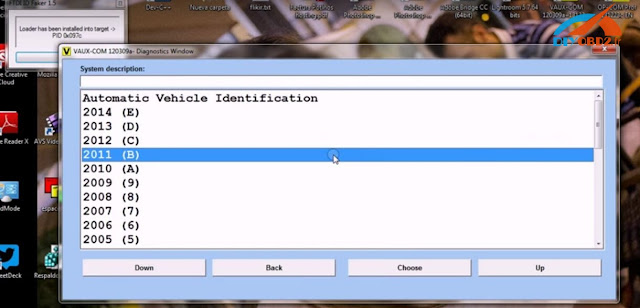
Step1. Open VAUX-COM 120309a software. Choose “Diagnostics”→ “2011 (B)” → “Insignia” → “Engine” → “A 20 DTH”
Step2. Choose “Measuring Blocks” function
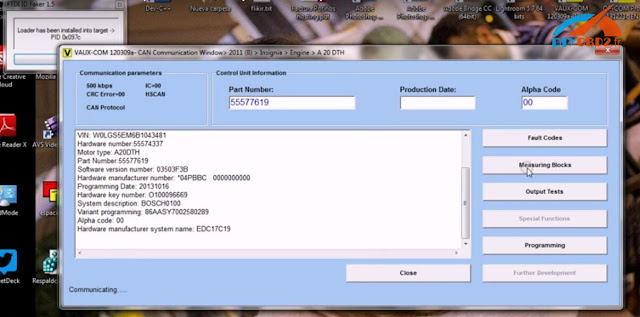
Then choose “Exhaust Aftertreatment Data” and you can see many measured values as follows:


Step3. Back to choose “Programming” then “Regeneration D. Particulate Filter” then “Start Activation” and that’s all steps. In this way you can use OP-COM to active filter for Opel Insignia!


2016年8月15日星期一

OPCOM OP-COM v1.59 reset airbag warning light

DIY to reset airbag warning light on Astra-G using OPCOM v1.59
Model:
Opel Astra-G 2000
Airbag warning light status:
It’s ON before programming


Procedure of airbag warning light reset:
In opcom interface
-> auto vehicle identification: 2000(Y)

-> system description: Astra-G

-> Body

-> Airbag

-> Fault codes

-> Fault codes: 37 passenger pretensioner circuit high resistance

The dashboard displays

-> Clear fault codes

Clearing faults...
Reading faults...
-> No stored codes.

->OPCOM manged to set airbag warning light OFF!