显示标签为“Renault-com bluetooth”的博文。显示所有博文

2017年2月17日星期五

How to use Renault-COM for diagnosis & programming

Renault OBD2 diagnosis & ECU programming with Renault-COM
This is a how-to guide of the Renault-COM Bluetooth scanner for Renault OBD2 diagnosis & ECU programming & key programming.
Note: Renault can clip clone (even the best quality) cannot support ECU programming & key programming; only reprogramming available.
First install Renault-COM software on Windows 2000 / XP / Vista / 7/10
Connect the Renault Com diagnostic and programming tool to the car
Run the Renault-Com software: SuperScan
Change a language for use
Renault-COM software supports English, Arabic, Croatian, Czech, Danish, Dutch, English (United States ), Finnish, French (standard), German, Greek, Hebrew, Hungarian, Italian, Polish, Portuguese (Brazilian), Romanian, Russian, Serbian (Cyrillic), Spanish, Turkish
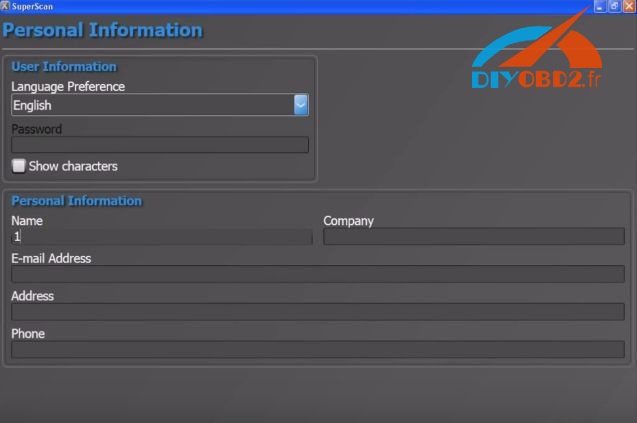
Finish the personal information
Autodetect and Test Connection
If it fails, enter the info manually to go on
Select the version: firmware: 3.1.0 software: 10.2.13

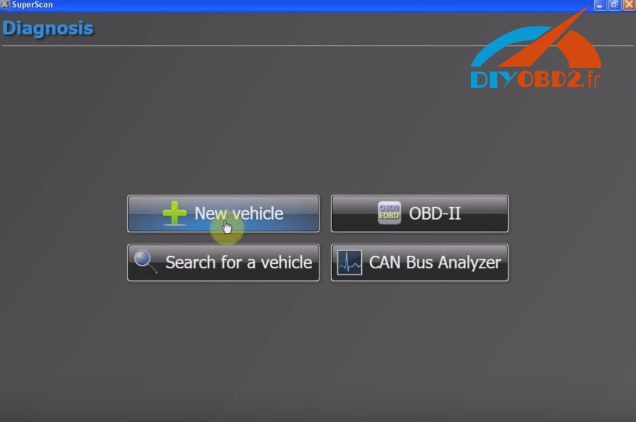
Then go to Diagnosis
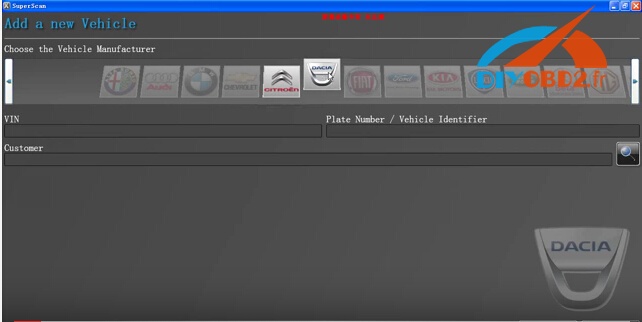
Add a new vehicle: Renault
Select ENGINE ELECTRONICS , then Connect
ECU detection:
Vehicle: Renault Megane II
ECU: SAGEM S3000 (MEGANE II)
Go on for Trouble Codes


Renault-com Special Functions


Go to Actuator

Note: IMMOBILIZER functions is available for Renault key programming

2017年2月16日星期四

Renault CAN CLIP ecu programming & key programming?

Usually not! Renault can clip diagnostic tools esp. China clone cannot program ECUs or add new keys to Renault cars. So, which Renault diagnostic interface can do that?
Renault-COM Diagnostic and Programming Tool... Here we go.

Renault-COMRenault CAN CLIP
Figure  
Price€84.99€149
Operation systemWindows 2000 / XP / Vista / 7/10Windows XP/ 7
LanguageEnglish, Arabic, Croatian, Czech, Danish, Dutch, Finnish, French, German, Greek,Hebrew,Hungarian, Italian, Polish, Portuguese (Brazilian), Romanian, Russian, Serbian (Cyrillic), Spanish, TurkishEnglish, German, Danish, Spanish, Finnish, French, Italian, Norwegian, Dutch, Portuguese, Romanian, Sweden
BluetoothYesNo
Obdii diagnosisYesYes
ECU programmingYesNo
Key programmingYesNo
Airbag programmingYesNo
Injector programmingYesNo
Service resetYesNo
Power steeringYesNo
EGRYesNo
DPFYesNo

So, Renault-COM Bluetooth should be a better choice for diagnosis and programming at the dealer level advanced device for Renault vehicles. It can access various electronic control units (ECU) such as engine, gearbox, ABS, Airbag / SRS. It can display identification, read and clear fault code memory, display and store measured values and perform actuator tests.
OBD2 at the Renault-COM interface contains eight pieces of ISO9141 K-Line, a piece of ISO9141 L-Line, CAN-BUS and analog-measuring circuits.

Multi-language available:
English, Arabic, Croatian, Czech, Danish, Dutch, English (United States ), Finnish, French (standard), German, Greek, Hebrew, Hungarian, Italian, Polish, Portuguese (Brazilian), Romanian, Russian, Serbian (Cyrillic), Spanish, Turkish

Characteristics Renault-COM:
Fully Multiplexed Bluetooth-in-One Interface
ECU automatic recognition
Automatic vehicle scan
ECU identification: - finds all calculators available in the car by pressing the single button
Bluetooth - wireless connectivity to your laptop or a Windows tablet
Fault code (DTC) reading
Compensation fault code, with the ability to store the DTC vehicle history forever
Playback frame playback
Live live measurement / recording data from live data, fully dynamic with graphic up to 6 data streams at a time, recording and other manipulations
Diagnostic protocol printing

Testing of actuators, test components via direct ECU access
Renault-COM Special functions - perform reseller level high-end programming / coding such as:

Key Programming
Service reset
DPF (Diesel Particulate Filter) regeneration
EGR (Exhaust Gas Recirculation) self-test
Airbag Programming
Programming the injector
Power steering
Programming ECU
Car configurations

It is from Renault can clip technical support:Renault CAN CLIP ecu programming & key programming?

2017年1月19日星期四

TOP List Renault scanner, pin code reader and key programmer

Do you want to know which Renault car tools are most popular in past 2016? Check below list of top sales diagnostic scanner, pin code reader and key programmer for Renault vehicles!

Part 1: For Renault car diagnosis:
Option 1: Renault CAN CLIP diagnostic interface is most popular scanner for Renault car owners and even workshops! It can automatically test all 1998-2016Renault models' computers, reprogramming, airbag test…

CAN CLIP Renault with best price €104.99!


Tested OK Renault CAN CLIP program new Laguna II 2 button remote key card

Option 2: New launched €84.99 Renault-COM Programming Tool is also a professional Renault diagnostic tool. It has same function but cheaper than Can Clip!
Check Renault-COM function list:
Tested Renault-COM on Renault Dacia, read DTC codes show live data OK
Part 2: For old Renault car pin code:
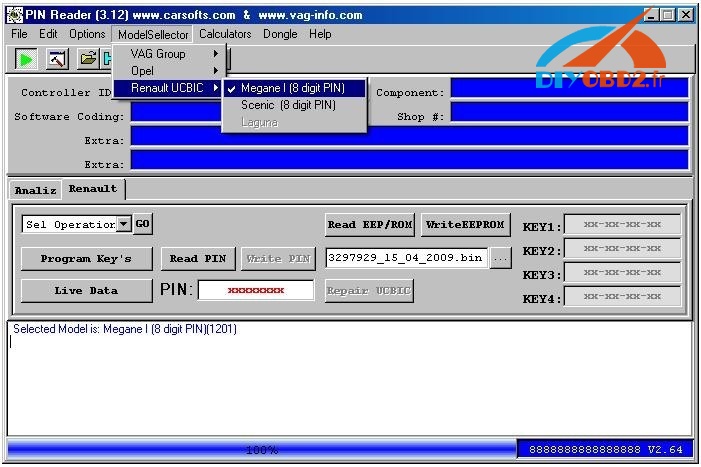
Cheap 26 Renault pin code reader function: Read 8 digit pin code + program key + show live data for Renault Megane and Megane Scenic from 1999 to 2003. (From UCBIC (BSI) module via OBD II)

Part 3: For Renault key programming:
FNR Key Prog 4-in-1 = Ford key prog+ Renault key prog+ Nissan key prog+ Ford Incode Calculator.
The Renault key prog allow you to add a blank key or card for many NEW Renault cars via OBD2 socket. NO NEED any PIN code! But it support only English.
Tested FNR Key Prog 4 in 1 program Renault Megane II key card easily

It is from Renault can clip technical support:TOP List Renault scanner, pin code reader and key programmer

2017年1月2日星期一

How to install and use Renault-COM Bluetooth Diagnostic Interface?

This blog will show you how to install and use new arrival Renault-COM Bluetooth Diagnostic Interface software. The installation guide and steps will list as below:
About this new tool, you can check
Renault-COM Bluetooth Diagnostic Interface better and cheaper than CAN Clip

How to install Renault-COM Bluetooth software?
Step1. Download Net Framework 4.0.exe or 4.0 above in your laptop in advance.
Disable ALL available networks before install or use Renault-COM software.

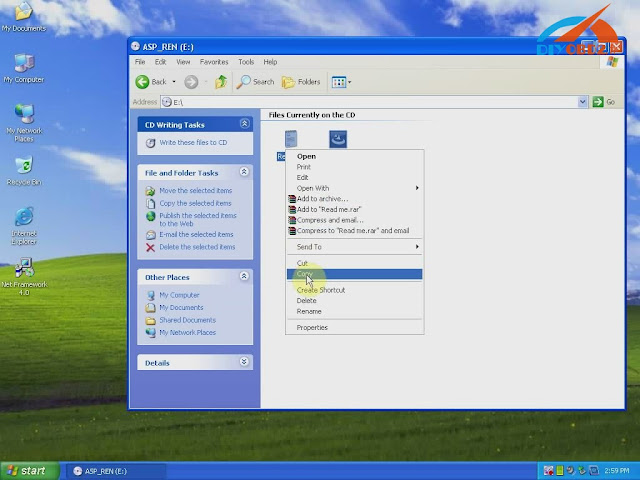
Step2. Open “My Computer” then CD-ROM “ASP_REN (E:)”, copy all files to desktop.
Install Net Framework: double click Net Framework software icon on desktop to start the Setup.
Step3. First check the box “I have read and accept…” then click “Install”.
Wait a while and Net Framework installation complete, click “Finish”.
Step4. Open “SuperScan_10-02-13”, select language as English then click “OK”.
Click “Install” and wait a while, you will see the install wizard as below. Click “Next”→ “I accept…”→ “Next” → “Next” → “Install” → “Finish”.


Now you install Renault-COM software successfully! Delete Net Framework and “SuperScan_10-02-13” from desktop.
How use Renault-COM Bluetooth software to diagnose Renault cars?
Before use you should set Bluetooth first!
  1. Click the Bluetooth icon to choose “Open Bluetooth Settings”.
Click “Add” you will see “Add Bluetooth device wizard”, check the box “My device is set up and ready to be found” then click “Next”.
  1. Choose new device “AutoScan& Programming”, click “Next”.
Choose the option “Use the passkey…” input “1234” then click “Next”.
Add Bluetooth device wizard complete, click “Finish”.
  1. Click Bluetooth “AutoScan& Programming” and “OK”. Now Renault-COM Bluetooth setting finish.
Open “SuperScan Manager”, choose the language you use then click “Continue”, “OK”.
You need to fulfill personal information part. Just enter “1” in name blank and you can continue.
Click “Auto Detect” then “Test Connection” to test everything is OK to go on.
You should enter two activation codes, one for EOBD-OBDII, one for RENAULT. You can check them at the Read Me file.
After that you can use Renault-COM to diagnose car!
Click “Diagnose”→ “New Vehicle” → “Renault” → “Create”, now you start to use Renault-COM Bluetooth Diagnostic and programming Interface!